Showing posts with label IT. Show all posts

How to Care for Your Mac OS X with Snow Leopard


Mac OS X Snow Leopard is a resilient operating system, but it isn't impenetrable. There are some things you should do to protect your Mac from bad things, like OS instability. Here’s a list of Mac do's and don'ts:

* Don't unplug your Mac when it's turned on: Very bad things can happen, such as having your operating system break.
* Don't use your Mac when lightning is near: Here's a simple life equation for you: Mac + lightning = dead Mac. Oh, and don't place much faith in inexpensive surge protectors. A good jolt of lightning will fry the surge protector right along with your computer as well as possibly frying your modem, printer, and anything else plugged into it. Some surge protectors can withstand most lightning strikes, but those warriors aren't the cheapies that you buy at your local computer emporium. Unplugging your Mac from the wall during electrical storms is safer and less expensive. (Don't forget to unplug your external modem, network hubs, printers, and other hardware that plugs into the wall, as well; lightning can fry them, too.)
* Don't jostle, bump, shake, kick, throw, dribble, or punt your Mac, especially while it's running. Your Mac contains a hard drive that spins at 4,200 revolutions per minute (rpm) or more. A jolt to a hard drive while it's reading or writing a file can cause the head to crash into the disk, which can render many — or all — files on it unrecoverable. Ouch!
* Don't forget to back up your data: If the stuff on your hard drive means anything to you, you must back it up. Not maybe, must. Even if your most important file is your last saved game of Call of Duty 2, you still need to realize how important it is to back up your files. Fortunately, Mac OS X Snow Leopard includes an awesome backup utility called Time Machine. (Unfortunately, you need either an external hard drive or an Apple Time Capsule device to take advantage of it.)
* Don't kiss your monitor while wearing stuff on your lips: For obvious reasons! Use a soft cloth and/or OmniCleanz display cleaning solution to clean your display.

Reff:http://www.dummies.com/how-to/content/how-to-care-for-your-mac-os-x-with-snow-leopard.html

  • Digg
  • Del.icio.us
  • StumbleUpon
  • Reddit
  • RSS

Macs vs PCs


A lot has happened during the past 18 years. The Cold War ended, mobile phones appeared, Diff'rent Strokes went off the air and Lara Croft became a sex symbol. Yet during this time the battle over which are better, PCs or Macs, continued to rage.

This hasn't been a mere argument, either. People from both camps became evangelical, created countless newsgroups and websites advocating their views - Mac Sucks is a typical one - and when Steve Jobs announced Microsoft would invest in Apple at 1997's MacWorld Expo, the crowd booed, hissed and some even turned their back on him.

For some people, computers aren't a tool - they're a religion.

Well, Icon has had enough from both sides. We've decided it's time to take a stand and pick a winner - and for those who will inevitably disagree with our conclusion, remember: violence is not the solution.

To critique both platforms we have used the following criteria: ease-of-use, software, performance, stability, style and design, and last, cost. We have awarded points out of 10 for each category and totalled them to find the winner.
advertisement

advertisement

Because we have compared the platforms from a home user's perspective, we looked at the OS X (10.2) operating system for Apples and Windows XP Home Edition for PCs. We used a variety of computers for this feature but primarily focused on the 15- and 17-inch G4 iMacs and the Acer T300 desktop PC because we deemed them to be average, mid-range systems.

Ease-of-use

Macs have always been known for their ease of use but they've certainly lost their lead.

"Today the two interfaces are so close it's a toss-up what's easiest," says Dr Jakob Neilsen, one of the world's leading usability experts. "The PC has made huge progress from a crummy, substandard design that only a nerd could love to a decent user interface. In contrast, the Mac has made very little progress from a decent and restrained user interface to a decent and flashy user interface."

We'd have to agree. OS X initially seems easier to use, especially with its large "Dock" at the bottom of the screen that clearly shows some of the major applications available, but OS X can also be frustrating. For example, there's no specific place where you can always, without fail, find a specific application to load. It could be in the Dock, or in the Applications folder, or on the Desktop, whereas all Windows applications can be found from the Start menu, in addition to being found elsewhere.

Neilsen says Windows XP has another advantage, provided you have a flat-panel display: its ClearType technology that displays text more crisply.

"It takes advantage of the fact that each 'pixel' on a flat panel is actually three smaller pixels for red, green and blue, and ClearType manages each of these sub-pixels separately. The effect is stunning and almost approximates the clarity of printed text," Neilson says. "Users can read text about 10 per cent faster after turning ClearType on. Since the two platforms are so similar, ClearType makes the difference to me."

However, ClearType has to be activated manually (it's buried deep within Control Panel/Appearance and Themes/Display/Appearance/Effects) and most PC users aren't aware it even exists - and without it we found the Mac easier to read.

Also, as Neilsen says, many Mac applications such as iPhoto are easier to use than their PC equivalents. As such, we have to call it a draw.

PC: 7/10 Apple: 7/10

Software

PCs certainly have more software than the Mac but what's important is whether the particular titles you want are available - and the Mac has most application areas well covered. With office software, for example, the Mac not only has a version of Microsoft Office called MacOffice but also AppleWorks, an office-like suite that comes free on iMacs. Internet applications such as web browsers, instant messaging and email are plentiful, as are utilities such as anti-virus packages.

An area in which Macs once excelled is graphics and video editing but PCs have largely caught up. In fact, Adobe recently decided to release the latest version of its Premiere video-editing software only on the PC.

However, games are a different matter. The Mac has a number of titles but it's nowhere near as well catered for as the PC. More niche areas, such as voice recognition, are limited on the Mac. The voice-recognition package Dragon NaturallySpeaking, for example, is available only on the PC.

As such, the PC wins when it comes to software availability.

PC: 9/10 Apple: 7/10

Performance

The question of which platform is the fastest has always been contentious. Last year, for example, Adobe claimed PCs were faster than Macs by running After Effects, Illustrator and Photoshop operations on both a single-processor Dell 2.53GHz Pentium 4 and a 1.25GHz dual-processor Power Mac G4. Apple, however, argued that the problem was with those particular applications and that some tasks could perform faster on a Mac with different software.

This year Apple claimed its new Power Mac G5 (which uses a 64-bit processor codeveloped with IBM) was the world's fastest personal computer and outperformed 3GHz Dell machines using Pentium 4 and Xeon processors. Within hours, criticism surfaced that the benchmarks and testing procedure were slated against PCs.

For average home users, however, these arguments are largely academic because most don't make the most of the processor speed they already have.

"At the end of the day, applications are not catching up as fast as the hardware," says Andy Woo, a hardware analyst at Gartner. "Hardware, speed and power are not as critical anymore."

To play the devil's advocate, we ran a number of matching applications on both platforms, including Macromedia's Dreamweaver and Fireworks, Warcraft III, Microsoft Office, Harry Potter and the Chamber of Secrets and, for the most part, we couldn't tell the difference. That's not to say there wasn't any. The animation and graphic detail in the PC version of Harry Potter were slightly better while an operation in Fireworks (rotating a 472KB JPEG image) was noticeably faster on our test PCs. We ran the latter test on a Pentium 4 2.66GHz Acer T300 with 512MB RAM, a Pentium 4 1.7GHz Dell Dimension with 384MB RAM, a 1.8GHz Pentium 4-M BenQ laptop with 256MB RAM, and a 1GHz G4 iMac with 256MB RAM. The iMac was the slowest, taking 6.4 seconds, while the Dell, our slowest PC, took 2.4 seconds.

It should also be noted that even some Mac users acknowledge that the G4 processors are lagging behind Intel's. The Mac-oriented site Bare Feats, for example, has benchmarked both and shows the Pentium 4 is faster.

Since it's also easier to boost a PC's speed by upgrading the graphics card or processor, we've made it the winner in this category.

PC: 9/10 Apple: 8/10

Stability

Both XP and OS X crash less than previous versions but it's the latter that has the better reputation because it is based on the stable UNIX operating system. Most studies find this.

In PC Magazine's 2003 Service and Reliability Survey, for example, Mac OS X crashed less for users than Windows XP (as well as other Windows versions), while ConsumerReports.org's 2003 survey showed that Apples crashed less than PCs from other companies (although Dell came a close second). A survey last year by the Australian Consumers Association (ACA) had similar results. "Apple stood out for reliability with 86 per cent of owners reporting no repairs in the past 12 months," says Jessica Ross, editor of Computer Choice, an ACA publication, "but, mind you, Dell came in at 83 per cent and IBM at 82."

Macs are also more secure than PCs because most viruses are created for PCs. "Whereas there are tens of thousands of viruses for the PC platform, there are only hundreds of viruses for the Mac," says Paul Ducklin, head of technology at the anti-virus firm Sophos. However, Ducklin says virus writers may target Macs more as they increase in popularity, and that macro viruses, which work through Microsoft Office, work on both platforms.

We acknowledge Macs aren't perfect - one of our test iMacs crashed on the second day - but Apple still wins this category.

PC: 6/10 Apple: 9/10

Style and design

Beauty may be in the eye of the beholder but there's no doubt more attention was put into the iMac's design than into any desktop PC.

First, the iMac is extremely compact - the main unit is encased in a small base that also supports the flat screen via a chrome arm that allows you to raise, tilt and rotate the screen more easily than any monitor we've seen. The arm is also strong enough to act as a handle.

Apple also intended the iMac to be thought of more as an appliance than a computer. Its all-in-one design makes it easier to set up and instead of looking like a box with slots and protruding buttons, the dome-shaped base has a smooth front with the optical drive merely an outline. Until you press the keyboard's eject button you almost wouldn't notice it.

Last - and, admittedly, this is subjective - we believe the iMac looks more elegant than any desktop PC we've seen.

PC: 4/10 Apple: 9/10

Cost

Macs have a reputation for being expensive but this isn't necessarily so. For operating systems alone they're actually cheaper - OS X 10.2 costs $229 while Windows XP Home is $463. Comparing the cost of full desktop systems is harder, but if you're buying a brand-name PC you probably won't pay less. For example, the new 15-inch iMac (which was just announced at the time of writing) is $2299 while an Acer T300 with a 15-in LCD monitor and similar specs (that is, 256MB RAM and an 80GB hard-drive) is $2420.

There are, however, exceptions. For example, you can buy a Dell Dimension with roughly the same specs for several hundred dollars less (this is because Dell sells directly to consumers rather than through retail outlets).

Another option is to buy a "no-name" PC from a local store, although the support and overall quality is sometimes not as good.

As such, the PC won this category, albeit by a small margin.

PC: 9/10 Apple: 8/10

And the winner is ...

The Mac - but not by much. We've given it a score of 48 out of 60, while the PC received 45.

The Mac won primarily because of its design and if it had kept its lead in usability, the margin would have been greater. Also, its performance suffered slightly but this is likely to be remedied by the new G5 processors. However, we do believe PCs are better suited for games and running specific software titles.

Reff:http://www.smh.com.au/articles/2003/10/10/1065676145670.html?oneclick=true

  • Digg
  • Del.icio.us
  • StumbleUpon
  • Reddit
  • RSS

Light Notebooks - Review of 5 Lightest Laptops


For many years you have paid a premium for lightness and portability in a laptop, the less they hurt your shoulder the more they were going to damage your wallet.

However recently thanks to improved technology allowing processors to run faster but not overheat, small no longer always equate to expensive. Admittedly the first 3 laptops reviewed : the Toshiba Protege R500, Sony VAIO TZ150 and Apple MacBook Air are all going to cost you over US$2000 mark. However the Averatec is priced well under US$1500 and the innovative Asus Eee PC will set you back less than US$500! So now is an exciting time to be buying a truly ultraportable laptop!

Toshiba Portege R500
Toshiba Protege R500
Toshiba Portege R500
NEW Laptop/Notebook AC Adapter/Battery Charger Power Supply Cord for Toshiba Portege M405 r500-106 Satellite M55-S135 M55-S325 A55-S306 A55-S1064 R15-S829 R20 R25 R25-S3503 U205-S5002 NEW Laptop/Notebook AC Adapter/Battery Charger Power Supply Cord for Toshiba Portege M405 r500-106 Satellite M55-S135 M55-S325 A55-S306 A55-S1064 R15-S829 R20 R25 R25-S3503 U205-S5002
Amazon Price: $2.21
DURAGADGET Royal Purple water resistant laptop / notebook carry case / bag / sleeve for Toshiba Portégé R500-11Z Core 2 Duo U7700 DURAGADGET Royal Purple water resistant laptop / notebook carry case / bag / sleeve for Toshiba Portégé R500-11Z Core 2 Duo U7700
Amazon Price: $9.88
Toshiba Protege R500

This laptop manages to fit a full sized keyboard with a 12.1-inch screen and a native resolution of 1,280x800 and that's a matt screen too. This well-known brand doesn't come cheap but Toshiba's reputation is well deserved for reliable, well-engineered laptops.

Price point: an expensive laptop where you are paying for the convenience and lightness. Main Competitors: Sony VAIO, Fujistsu Lifebooks

Aimed at: the corporate/business market which requires a big name brand, excellent support and backup and can afford to pay for it.
The Good:
* 12-inch display but lighter than some 11-inch notebooks.
* Avoids the annoying ultraportable trick of eliminating important keys, squeezing in separate page-up and page-down keys
* Better performance than the Sony VAIO
* A fingerprint reader
* Excellent battery life of 5 hours under standard conditions.
* Standard 3 year mail-in warranty.

The Bad:
* Lack of mobile broadband antenna EV-DO
* Only a SD card slot not a multifunction card reader
* No WebCam
* Only quicklaunch buttons are brightness mode and a button for launching Toshiba's proprietary help utility.

Toshiba Portege R500 At a glance:
Processor 1.2GHz Intel Core 2 Duo T7600
Memory 1GB, 667MHz DDR2
Hard drive 120GB 5,400rpm
Chipset Intel 965 Graphics Mobile Intel Express 950GM (integrated)
Operating system Windows Vista Premium
Dimensions (WDH) 11.1 x 8.5 x .77 inches
Screen size (diagonal) 12.1 inches

System weight / Weight with AC adapter [pounds] 2.4/3.1 pounds
Sony VAIO TZ150
Sony VAIO
Sony VAIO VPC-EB42FX/BJ 15.5-Inch Widescreen Entertainment Laptop (Black) Sony VAIO VPC-EB42FX/BJ 15.5-Inch Widescreen Entertainment Laptop (Black)
Amazon Price: $675.00
List Price: $729.99
Sony VAIO VGP-AMC7 Neoprene Case for FW series (Black) Sony VAIO VGP-AMC7 Neoprene Case for FW series (Black)
Amazon Price: $24.95
List Price: $24.99
Sony Vaio TZ150

A beautiful design which gives even the style icons at Apple a run for their money. Just manages to beat the Toshiba R500 on battery life and size. The 11.1-inch laptop combines an ultrathin, LED-backlit display and even with an optical drive, this system is amazingly only about an inch thick. However the Toshiba does weigh slightly less. With a native resolution of 1,366x768 the text is small and hard to see, but that's the trade-off for such a small screen. The screen is matt which is a nice change for the currently popular shiny screens.

Like the Toshiba R500 the Sony is aimed for: the corporate/business market which requires a big name brand, excellent support and backup and can afford to pay for it.

Adding a solid state drive will push the price over $3000. Unless you are prepared to pay for a lot for the design aesthetic the Toshiba is probably a better deal.

Sony's standard one-year warranty can be extended a number of ways at extra cost to include up to 4 years on-site and accidental damage protection
The good:
* Extremely slim and light with a stunning good looks.
* Almost impossibly slim, the body of the Sony VAIO TZ measures just less than an inch thick. Adding the standard battery raises the rear of the laptop slightly, to 1.17 inches thick, but this is still one of the smallest laptops you're find.
* Fantastic battery life at over 5 hours.
* Includes integrated WWAN with EV-DO for web surfing via hot-spots.
* Includes an integrated DVD burner.
* Includes an integrated Webcam.
* Includes a Firewire port.

The bad:
* Slow performance the slower processor 1GB memory and slower disk are not helped by the bloat ware which clutters the hard drive
* Only 2 USB ports.

Sony VAIO TZ10 At a Glance:
Processor 1.06GHz Intel Core 2 Duo Ultra Low Voltage U7500
Memory 1GB, 533MHz DDR2
Hard drive 250GB 4,200rpm
Chipset Intel 945GMS Graphics Intel Graphics Media Accelerator 950 (integrated)
Operating System Windows Vista Premium
Dimensions (WDH) 10.9x7.8x0.8 inches (1.2 inches in rear)
Screen size (diagonal) 11.1 inches

System weight / Weight with AC adapter (in pounds) 2.7/3.3 pounds
Mac Air
MacBook Air
Apple MacBook Air MC505LL/A 11.6-Inch Laptop Apple MacBook Air MC505LL/A 11.6-Inch Laptop
Amazon Price: Too low to display
List Price: $999.00
Apple MacBook Air MC503LL/A 13.3-Inch Laptop Apple MacBook Air MC503LL/A 13.3-Inch Laptop
Amazon Price: Too low to display
List Price: $1,299.00
MacBook Air

Although not the as light as the Toshiba R500 the Air it still easily breaks new ground for small laptops.

Mimicking the 13-inch silhouette of the current MacBook line, it's only 0.76 inch thick at its thickest part, and Apple calls it the "world's thinnest notebook".

The MacBook Air is certainly a sexy, stylish, thin laptop. It does however come at a substantial price and costs significantly more than the MacBook Pro's which offer more connectivity and speed for less money, though with more weight.

The innovative touch pad gesture controls will win some fans as will the ability to wirelessly "borrow" optical drives attached to nearby desktops. Alterntaively you can purchase the USB-powered superdrive at an additional US$99.

While the MacBook Air's configuration is inferior to those found on the cheaper MacBook, they compare more favorably when you look at other ultraportables. . Both the Toshiba Portege R500 and Sony VAIO TZ150 cost hundreds more than the MacBook Air and feature slower CPUs and half the RAM as the Air.

One thing to be aware of though is that the custom battery is not replaceable by the user, which means if you want longer than the approximately 5 hours of battery life carrying a spare is not an option.

The MacBook Air is covered by a standard 1 year parts and labor warranty.
The Good Points
* Includes integrated webcam and mike,
* LED backlit display that responds to room brightness.
* Full size backlite keyboard

The Bad Points:
* Lack of connectivity is the biggest negative - only 1 USB no firewire FireWire, Ethernet, or mobile broadband
* No media card reader
* No optical drive

MacBook Air At a Glance
Processor 1.6GHz Intel Core 2 Duo
Memory 2GB, 667MHz DDR2
Hard drive 80GB 4,200rpm Graphics Intel GMA X3100 (integrated)
Operating System Apple Mac OS X Leopard
Dimensions (WDH) 14.2 x 10.5 x 1.9 inches
Screen size (diagonal) 13.3 inches
System weight / Weight with AC adapter 3.0 / 3.4 pounds

Averatec 1579
AVERATEC 13.3 NOTEBOOK INTEL PENTIUM DUAL CORE 3GB 250GB EXTERNAL DVDRW 802 AVERATEC 13.3 NOTEBOOK INTEL PENTIUM DUAL CORE 3GB 250GB EXTERNAL DVDRW 802
Amazon Price: $599.99
ENGLISH US INTERNATIONAL KEYBOARD STICKERS WITH YELLOW LETTERING TRANSPARENT BACKGROUND FOR DESKTOP, LAPTOP AND NOTEBOOK ENGLISH US INTERNATIONAL KEYBOARD STICKERS WITH YELLOW LETTERING TRANSPARENT BACKGROUND FOR DESKTOP, LAPTOP AND NOTEBOOK
Amazon Price: $1.99
Averatec 1579

A good value for money option for those who don't want to spend the top dollars for the Sony Vaio or Toshiba Protege models. Although costs approximately 25% less than the premium machines the Averatec supplies a robust 11.1-inch ultraportable with good performance, great battery life and solid construction.

At 1.5-inches the Averatec is noticeably thicker than other laptops reviewed but still manages to weight in at 3.4 pounds - just proving yet again than the less weight the more dollars it's going to cost!

The 11.1-inch wide-screen display features a 1,366x768 native resolution, which offers a decent balance of screen real estate and readability

Averatec includes an industry-standard one-year parts-and-labor warranty with the system.
The Good:

* Reasonable performance in a tidy package at an competitive price.
* DVD burner included
* Mini FireWire jack and an ExpressCard slot included

The Bad:

* Somewhat cramped keyboard.
* No media control button
* No webcam

Averatec 1579 at a Glance

Processor 1.06GHz Intel Core Duo Ultra Low Voltage U2400

Memory 1GB, 667MHz DDR2

Hard drive 120GB 5,400rpm

Chipset Intel 945 Graphics Intel Mobile Express 945GM

Operating system Windows Vista Premium

Dimensions (WDH) 10.5 x 8.1 x 1.5 inches Screen size (diagonal) 11.1 inches System weight / Weight with AC adapter [pounds] 3.4 / 4.2 pounds
Asus Eee PC
Asus Eee PC
ASUS Eee PC 1015PED-PU17-BK 10.1-Inch Netbook (Black) ASUS Eee PC 1015PED-PU17-BK 10.1-Inch Netbook (Black)
Amazon Price: Too low to display
List Price: $379.99
ASUS Eee PC 1001PXD-EU17-BK 10.1-Inch Netbook (Black) ASUS Eee PC 1001PXD-EU17-BK 10.1-Inch Netbook (Black)
Amazon Price: $249.99
ASUS G73SW-BST6 i7-2630QM 8GB RAM 750GB G73JW ASUS G73SW-BST6 i7-2630QM 8GB RAM 750GB G73JW
Current Bid: $1500.00
ASUS Eee Slate EP121-1A010M 12.1-Inch Tablet 64/4GB ASUS Eee Slate EP121-1A010M 12.1-Inch Tablet 64/4GB
Current Bid: $1345.00
AC Adapter Charger Asus Eee PC 1005HA 1005HA_GG 1005HAB AC Adapter Charger Asus Eee PC 1005HA 1005HA_GG 1005HAB
Current Bid: $19.99
AC adapter Charger Power Cord ASUS Eee PC 1005HA 1008HA AC adapter Charger Power Cord ASUS Eee PC 1005HA 1008HA
Current Bid: $8.25
ASUS G73SW-A1 17.3" Core i7-2630QM/8GB/1TB Blu-ray G73 ASUS G73SW-A1 17.3" Core i7-2630QM/8GB/1TB Blu-ray G73
Current Bid: $1749.00
ASUS Core i7-2630QM G73SW-A1 17.3" i7-2630 w/ SSHD G73 ASUS Core i7-2630QM G73SW-A1 17.3" i7-2630 w/ SSHD G73
Current Bid: $1749.00
ebay logo
Asus Eee PC

Starting from under US$200 there has been a sudden rush to the market of these tiny laptops may look and sound like a toy but they aren't. Netbooks are a new option for many people who want to save money and wonder if they should buy a netbook

Instead they are realistic entry point for those who until now couldn't afford a PC, never mind a laptop. Or a child or student who needs a small portable model they can carry everyday without fearing it being stolen or a bad back from the weight. Or a backpacker who wants something light and robust to travel with.

In particular the price includes bundled software for web browsing, FireFox, and office productivity, OpenOffice, so there is absolutely no need to spend more money getting up and running with basic word-processing, spread-sheeting, presentation and web applications. Also included are a generic media player, an instant messaging client that works with popular IM systems, and some preinstalled games.

However the operating system is Linux not Windows so some software won't run at all such as such as iTunes or Photoshop.

The Eee PC has a just 7" screen which obviously means some compromises on keyboard size, particularly for the non-letter keys, but at 2 pounds its great to carry around. The Eee PC's competitors may well be pocket PC's and mobile phones with keyboards, and compared to these the Eee PC's keyboard is a whole lot more functional.

Asus offers a 1 year parts and labor warranty.
The good:
* Small, light, and inexpensive;
* Solid-state hard drive is fast and efficient;
* Well-thought-out preinstalled software package.
* 3USB ports, a VGA out, and standard headphone and mic jacks
* SD card slot. allows you to expand the hard-drive capacity.
* 3.5 hour battery life.

The bad:
* Cramped keyboard;
* Little hard drive space;
* Low screen resolution.
* No optical drive or firewire port

Asus Eee PC at a Glance
Processor 900MHz Intel Mobile CPU
Memory 512MB RAM
Hard drive 4GB SSD
Chipset/Graphics Intel 910
Operating System Linux (customized by Asus)
Dimensions (WDH) 8.8 x 6.5 x 0.9 inches
Screen size (diagonal) 7.0 inches
System weight / Weight with AC adapter [pounds] 2.0/2.4 pounds

Reff:http://hubpages.com/hub/Light-Notebooks---Review-of-5-Lightest-Laptops-

  • Digg
  • Del.icio.us
  • StumbleUpon
  • Reddit
  • RSS

Six ways to clean up your Mac


Macworld - It’s spring again, and with the new season comes the age-old ritual of cleaning out things you ignored for most of the year. Far be it from me to suggest that you clean out your basement, garage, or attic, but I would be remiss if I didn’t recommend you take a closer look at the crusty corners of your Mac. Last year, Chris Breen shared valuable Tips for a tidier Mac—all of which are worth revisiting. But I also want to draw your attention to a half-dozen digital dust bunnies that you might not have considered:
1. Get rid of old iChat logs

If you use iChat, you can have the program store logs of your chats. (Go to iChat -> Preferences, click on Messages, select Save Chat Transcripts To, and then choose a folder.) By default, the program saves transcripts in a folder called iChats in your Documents folder, but you can choose a different location to store these files.

With this preference set, iChat saves a log file of every chat. This is a great idea (and especially helpful at work) if you often need to refresh your memory about a conversation. But if you send images inline during chats, these files may take up a lot of space. If you look inside the iChats folder, you’ll see that the files are organized by date. While you may want to save recent chat logs, you may have months of files you can trash, saving a lot of disk space.
2. Delete application backups

Many programs offer automatic backups, and store copies of files in a selected folder, just as iChat saves chat logs. Two programs I use often—Bare Bones Software’s BBEdit and The Omni Group’s OmniFocus—do this. Some applications, such as OmniFocus, let you choose the location for the backups; others, like BBEdit, don’t. BBEdit stores its backups in a BBEdit Backups folder in my Documents folder; I have OmniFocus store its backups in my Documents folder as well.

If you use any application that saves backups, you may find that it has tucked away several gigabytes of duplicate files, depending on how the program saves them. (BBEdit saves a new backup every time you save a file.) Deleting these backup files can save space, and make searching via OS X’s Spotlight much easier.

While you’re at it, check in youruserfolder/Music/iTunes folder; you may find a Previous Libraries folder, which includes copies of your iTunes libraries that were saved after you installed a new version.
3. Get rid of Mail downloads

When you receive attachments to e-mail messages in Apple’s Mail, the files are stored with your messages at first. But if you double-click an attachment to view it, or if you use QuickLook to glance at it, Mail stores a copy in your youruserfolder/Library/Mail Downloads folder. You may have dozens of files here occupying a huge amount of space. You can generally delete these without worry. If you still have the original messages, the attachments are part of those messages. If not, you may have already saved the attachments to your hard disk.

4. Delete log files

Your Mac stores lots of log files, most of which you never need to review. Open the Console application (in /Applications/Utilities), to see a list in the Console Messages window sidebar.

You can delete many of these files without affecting your Mac, and you can save significant space, since some of these files can be quite large. For instance, in the screenshot above, you can see a number of system.log files. The first one—system.log—is the current file, but the others, with the .bz2 suffix, are archived files.

Delete these files with Titanium Software’s free utility Onyx. Launch the program, click on Cleaning in the toolbar, and then click on the Logs tab. Check System Archived Logs, and then click Execute. While you’re using Onyx, check out the many other files that the program can delete to clear up space on your Mac.
5. Weed out iTunes dupes

If you’re cavalier about how you monitor your iTunes library, you may have a lot of duplicate files. iTunes has a built-in feature to help you find duplicates, to see if you copied some files twice, or if you have the same songs on original albums and others from best-of albums.

To use this feature, choose File -> Display Duplicates. This shows all tracks that share the same name and artist. If you hold down the Option key when you select the File menu, the menu item changes to Display Exact Duplicates. This sorts for duplicates where the name, artist, and album match. Check these files carefully. You may find some that you can get rid of, saving space not only on your Mac, but also on your iPad or iPhone.

Still, iTunes’ duplicate search is limited. Doug Adams’ $15 Dupin gives you much more power to weed out duplicates, sorting by a variety of different criteria. If you add lots of music to your iTunes library, Dupin is a great way to slim it down.
6. Reset Safari

If you use Apple’s Safari, some of the program’s features can take up unnecessary space. For instance, the cache file is intended to make your browsing snappier, but can easily consume hundreds of megabytes. When it gets too big, it can actually slow down browsing. History files can make Spotlight searching sluggish. And Top Sites, Website preview images, and Website icons (favicons) can slow down the program as well.

Every now and then it’s a good idea to reset Safari. Choose Safari -> Reset Safari and check the options that interest you.

I don’t reset or delete everything—you can see my choices in the screenshot above. Choose what’s most important to you, and reset Safari every now and then to speed up your browsing and save disk space.

One last tip: have you looked in your Downloads (youruserfolder/Downloads) folder lately? You may find plenty of unneeded copies of files there too.

Reff:http://www.computerworld.com/s/article/9214908/Six_ways_to_clean_up_your_Mac?taxonomyId=89

  • Digg
  • Del.icio.us
  • StumbleUpon
  • Reddit
  • RSS

Acer must look beyond PCs after Lanci's departure


IDG News Service - In the wake of Gianfranco Lanci's departure as president and CEO on Thursday, Acer must move aggressively in the smartphone and tablet markets and step up its focus on enterprise PCs in order to remain a major player on the world stage, industry analysts said.

Lanci resigned from Acer over a conflict with the board about the best strategy for the company, including the importance of scale, growth, "customer value creation," and how to enhance its brand, Acer said in a statement. Acer Chairman J.T. Wang has stepped in as interim CEO until Acer finds a permanent replacement.

Analysts said Lanci's resignation may reflect a difference in opinion about how aggressively Acer should shift its focus from consumer PCs and pursue the markets for smartphones and tablet computers. Acer was one of the biggest sellers of netbooks, sales of which have been declining since Apple introduced the iPad last year.

In its statement Thursday, Acer highlighted the cautious approach it will take in the mobile device market.

"The personal computer remains the core of our business. We have built up a strong foundation and will continue to expand within, especially in the commercial PC segment. In addition, we are stepping into the new mobile device market, where we will invest cautiously and aim to become one of the leading players," Wang was quoted as saying.

The resignation came just under a week after Acer said revenue from PCs in the first quarter of fiscal 2011 would fall short of expectations due to weak demand in Western Europe and the U.S . Acer said PC revenue was showing declines of 10% from the fourth quarter of last year.

Since that announcement, Acer's stock has slumped 18% to Thursday's close of NT$60 ($2.04) and Acer founder Stan Shih has called for changes in the company's focus. Shih, who is no longer involved in daily operations at Acer, was widely quoted by Taiwanese media as saying the company should increase emphasis on smartphones and tablets and other higher end mobility products, and less on PCs.

Acer will face challenges if it clings too hard to its traditional PC business, said Jay Chou, senior research analyst at IDC. Along with the decline in the netbook business, consumer spending on PCs has slowed, he noted.

Acer has been slower to move into tablets and smartphones than rivals such as Hewlett-Packard and Dell. And those companies are less exposed to shifting market trends due to their bigger share of the enterprise PC market, where sales are relatively stable with the corporate PC refresh cycle underway, Chou said.

The popularity of the iPad, as well as rival products running Google's Android software, has caused PC makers to rethink their strategies. PC powerhouses like Dell, HP and Lenovo all started shipping tablets to complement their PC offerings, and Acer itself also started shipping tablets earlier this month.

Acer must also step up its enterprise focus and be aggressive in selling higher-margin products such as servers, Chou said. Right now, Acer's servers go mainly into small- and medium-size businesses, and it will need to build up the infrastructure to support enterprise customers.

Lanci had been a proponent of Acer's enterprise push in the past, Chou noted. Acer acquired Gateway in 2007 to improve its access to commercial channels, although the company mostly failed to expand its sales of higher-margin products.

Stephen Baker , vice president of industry analysis at NPD Techworld, said it's hard to know exactly where the disagreement lay between Lanci and the board, but he too said it may have come down to how aggressively Acer should pursue non-PC markets.

"It's pretty apparent there was a dissension over the level of commitment to the PC business," Baker said.

Netbooks had been one of the biggest growth drivers for Acer over the last few years, and replacing that growth will be a challenge, Baker said. Beyond tablets, buyers are also ditching netbooks for aggressively priced laptops with full-size screens, Baker said.

Acer offers smartphones, but they should be more tightly integrated into the company's wider operations, Baker said. A big question also remains how much of an enterprise focus Acer wants to take as it diversifies.

An Acer spokeswoman declined to comment for the story, referring to the company's press release from earlier today.

"Acer needs a period of time for adjustment," Wang said in the statement. "With the spirit of entrepreneurship, we will face new challenges and look to the future with confidence."

Reff:http://www.computerworld.com/s/article/9215418/Acer_must_look_beyond_PCs_after_Lanci_s_departure

  • Digg
  • Del.icio.us
  • StumbleUpon
  • Reddit
  • RSS

Microsoft to raise license price, add software rights


Network World - Microsoft is boosting the price of a license that provides client access to Windows Server, SharePoint, Exchange and Systems Center, but is sweetening the deal by giving buyers access to a new endpoint security product and the new Lync unified communications software.

Microsoft is also expected to lower the price of an enterprise license that includes more robust access to key Microsoft software.

The annual price of the Core CAL (client access license) is expected to rise from $80 to $89, according to information distributed by Microsoft partner Softchoice, although final pricing won't be made official until Aug. 1. The numbers are estimates that "reflect preliminary info from Microsoft."

LICENSE HELP: 5 tips for managing Microsoft licensing costs

The Core CAL currently provides access to Windows Server, Systems Center Configuration Manager, and standard access to SharePoint and Exchange. Forefront Endpoint Protection 2010 and standard access to Lync will be added to the Core CAL, potentially making it a better deal despite the higher price. Forefront Endpoint Protection by itself would cost $10.20 annually per user, or per device.

Microsoft would not confirm the final pricing, but said customers who have the Core CAL and have purchased Software Assurance can lock in today's price and receive the new pieces of software.

"Active Software Assurance customers with Core CAL receive these new rights," a Microsoft spokesperson said. "The changes are effective Aug. 1 - so now is a good time for customers to renew Core CAL and get these extra components (FEP and Lync Standard CAL) at today's pricing."

Client access licenses are separate from server licenses. They allow individual end users to connect devices such as PCs to Microsoft's server products.

In addition to the Core CAL, Microsoft also offers the Enterprise CAL. According to the Microsoft partner information, the Enterprise CAL cost will drop from $94 to $86. That means customers who buy both the core and enterprise licenses will end up paying about the same price as before. Again, these are estimated prices and the final numbers won't be known until August.

The enterprise CAL includes Active Directory Rights Management Services; the enterprise versions of SharePoint, Exchange and Lync; System Center Client Management Suite; Forefront Unified Access Gateway, and the Forefront Protection Suite, which includes several products in addition to Forefront Endpoint Protection.

Customers should carefully examine the pros and cons of Microsoft's licenses. They may not necessarily benefit from the additions to the Core CAL.

"I don't have a single customer who will benefit from this," says Cynthia Farren, who runs the Cynthia Farren Consulting firm and writes a blog on Microsoft licensing for Network World. "The functionality of Lync Server Standard CAL is pretty limited, so basically unless you're just using it for PC-to-PC IM it's not going to be of much use, as you probably already needed the Enterprise CAL. Forefront Endpoint Protection requires System Center Configuration Manager (SCCM) to manage it - that's fine as it's part of the Core CAL but a good number of my clients have elected to not invest in the manpower needed to implement and run SCCM, so Forefront Endpoint Protection adds no value to them."

Even customers who don't need System Center may still opt for the Core CAL in order to get Windows Server, SharePoint and Exchange at a reduced rate, Farren notes. But customers who purchase the Core CAL, but not the Enterprise CAL, will see a rise in price regardless of whether they opt to use Forefront Endpoint Protection and Lync.

Another benefit of the core and enterprise CALs, according to Microsoft, is that they may be licensed on either a per-user or per-device basis, even when the pieces of software included in the CAL are eligible for only one or the other when purchased individually.

Reff:http://www.computerworld.com/s/article/9215352/Microsoft_to_raise_license_price_add_software_rights?taxonomyId=89 :software

  • Digg
  • Del.icio.us
  • StumbleUpon
  • Reddit
  • RSS

Windows Phone apps now total 11,500 'without padding,' Microsoft says


Computerworld - Microsoft bragged Thursday about growth in its Windows Phone 7 (WP7) developer community one year after its birth, but immediately got blasted for not disclosing developer revenues.

Windows Phone now has 36,000 members who have paid $99 to join the community, although free WP7 tools have been downloaded 1.5 million times, Windows Phone Senior Director Brandon Watson wrote in a blog. Another 1,200 developers are being added every week, he said.

Watson also said there now 11,500 paid and free apps in the Windows Phone Marketplace, and he took a swipe at other app stores who he said inflate their numbers by including wallpaper apps or double count apps that appear in two languages.

"Our ecosystem generated 10,000 apps faster than anyone else, without padding the stats," Watson said.

Admitting that "most developers we speak to are concerned with making money," he added that "many are telling us that they are seeing more revenue on our platform than competing platforms despite the fact we cannot yet match the sheer number of handsets being sold."

Windows Phone 7 devices have only been on sale about four months, he noted.

Without specific revenue numbers, a few registered developers criticized Watson's missive. "Hate to say it (and I appreciate the effort), but there is only one number that actually matters: REVENUE," wrote lstroud in a comment on the Microsoft blog. "You could talk about units sold to end users or paid apps downloaded.... If the revenue for developers does not come...the OS will die. The real question is how long do people continue to invest in the platform without revenue numbers."

Several developers also praised the WP7 developer tools and Watson's update, but one worried that Microsoft isn't moving fast enough with Windows Phone innovations and seems to be working at a slower pace than Microsoft is accustomed to using with products for enterprise users.

"It seems like Windows Phone is being handled much like other enterprise products are handled [with] yearly or half-yearly cycles," wrote usctrojan98. "Those just don't cut it in consumer-land. We need fast, frequent updates and we always are ready for changes, unlike enterprise. Please tell me/us that there is something to look forward to between [now] and the end of the year. Otherwise, I am pretty close to giving up on this exciting platform and go with the tried-and-tested iOS."

Watson said he's most excited that 40% of registered developers have published their apps, although he recognized another 60% have not.

(The number of apps, at 11,500, when compared with the number of registered developers, at 36,000, would indicate the registered developers who have published apps is less than 33% -- below the 40% that Watson claimed. Microsoft officials could be reached to explain the contradiction.)

Noting the 40-60 split on developers who have published or not, Watson added, "That's incredibly exciting when you consider the amount of creativity which is still forthcoming."

Reff:http://www.computerworld.com/s/article/9215404/Windows_Phone_apps_now_total_11_500_without_padding_Microsoft_says

  • Digg
  • Del.icio.us
  • StumbleUpon
  • Reddit
  • RSS

Computerworld's favorite smartphone apps


Computerworld - Let's face it: Whether you get your apps through the Android Market (about 100,000 apps) or the Apple App Store (about 350,000), it can be hard to figure out which ones you want to try out. And there are a lot of recommendation lists out there (Computerworld has already published a few of them). But how to find the really great stuff?

In an effort to provide some guidance, we asked the staff and writers of Computerworld to tell us about their favorites -- no matter what type of smartphone they use.

The results are listed here. The apps are varied and interesting -- they include a variety of choices for music, video and photos; apps that help to find restaurants, detect earthquakes or track all your digital data; two games and two e-readers. There are also a few that make life easier on the job, including one that takes credit card purchases.

The reviews below include apps for smartphones that run Apple's iOS, Google's Android and Palm's webOS operating systems. But we didn't want to leave anyone out, so for each app we've listed other OSes that it works with, which can include RIM's BlackBerry, Microsoft's Windows Phone 7 and Windows Mobile, and a few other, less-known formats.


Media on the move

AT&T U-verse Mobile

AT&T U-verse Mobile
Click to view larger imageThis is a great app for those times when you are at a dinner party and a friend recommends a particular TV program for you to watch. You can program your AT&T U-verse digital video recorder from your iPhone and not have to worry about missing the suggested show. You can browse the channel guide, search for a particular show and manage your existing or future scheduled recordings. If you subscribe to the more expensive U200, U300 or U450 premium channels packages, you can even download some episodes to your phone at no additional charge. (DirecTV and Dish Network have similar apps.) -- David Strom


AT&T U-verse Mobile
OS reviewed: iOS
Other OSes it works with: Android (specific devices), BlackBerry (specific devices), Windows Phone 7
Price: Free
Hipstamatic

Hipstamatic
Click to view larger imageTired of all those sharp, modern-looking digital pix your iPhone camera can take? Use Hipstamatic and you'll takes pictures that look they were taken with 35mm film in the 1960s. Plus, you can buy different "films," "lenses," and "flash attachments" for an even more customized look. Hipstamatic allows you to change the look of photos on the fly simply by shaking the iPhone, which chooses new films and lenses from those you have in your collection. (Given the number of lens/flash/film combos it's easy to get confused; check out the Field Guide wiki to help sort out your options.) -- Ken Mingis


Hipstamatic
OS reviewed: iOS
Other OSes it works with: None
Price: $1.99
iheartradio

Iheartradio
Click to view larger imageAs the name implies, iheartradio is an app for streaming radio stations across your Internet connection. It offers over 300 stations across the continental U.S. -- talk stations, local music for specific cities, regional traffic and a slew of artist-hosted stations where various talents (e.g., the Eagles, Weezer, Slash) discuss their favorite music. The program even downloads cover art to match whatever's playing. It's a toss-up as to whether a favorite station of yours is in their network, but give it a shot. -- Serdar Yegulalp


Iheartradio
OS reviewed: Android
Other OSes it works with: : iOS, BlackBerry, Windows Phone 7
Price: Free

Any further favourites applications can be opened at the Reff website because the list is too long. Thanks. From Admin.

Reff:http://www.computerworld.com/s/article/9214984/Computerworld_s_favorite_smartphone_apps

  • Digg
  • Del.icio.us
  • StumbleUpon
  • Reddit
  • RSS

Rogue Android app sent personal info to legit version's developer, claims AVAST


Computerworld - A malicious Android app that shamed users for pirating software transmitted personal information to a URL controlled by the legitimate app's developer, a security company said today.

The developer of "Walk and Text," the app whose code was recompiled and re-released on unauthorized online stores, denied the claim by AVAST Software, an anti-virus firm based in Prague.

Walk and Text, which costs $1.54 to download from the official Android Market, uses the smartphone's camera to show what's in front of users as they simultaneously walk and text, theoretically preventing them from slamming into signposts or stepping off curbs into traffic.

The Trojanized version of the app includes malicious code that texts an embarrassing anti-piracy message to each contact in the phone's address book.

"Hey, just downlaoded [sic] a pirated App off the Internet," the message reads. "Walk and Text for Android. Im [sic] stupid and cheap, it costed [sic] only 1 buck. Don't steal like I did!"

The rogue app -- which Symantec yesterday named "Android.Walkinwat" and identified as a Trojan horse -- also pilfers personal data from the phone, including the phone number and the device's unique identifier, and sends it to a remote server.

According to AVAST, that data was sent to a URL controlled by Georgi Tanmazov, the CEO of Incorporate Apps, and the developer of Walk and Text, as well as other Android apps.

"It was very obvious that the information went to his URL," said Vincent Steckler, the CEO of AVAST in an interview Friday. "Was there something receiving the information? [Tanmazov] said there was not. But from what we could see, yes, there was something there receiving the information."

Tanmazov flatly denied that he created the malicious version of Walk and Text.

"AVAST has indeed claimed there is a link to our servers, but there was no such file on our servers, and logs could probably prove this," said Tanmazov in an e-mail interview, also on Friday. "There is also no personal information being saved on our servers and this could also easily be proven."

Steckler said that he has yet to see that proof, and called on Tanmazov to share his server logs.

When asked if he would share the logs, Tanmazov agreed, but said he wasn't sure that such logs exist.

"The Web site is on a really cheap shared server and they delete stuff after three days I think," he said. "You understand that if we do have logs those are text files that could be altered so this will also not prove anything."

AVAST and Tanmazov have been at odds for more than a week, when AVAST blogged about the malicious version of Walk and Text that researchers found on the Internet.

Since then, Tanmazov has threatened to sue AVAST and accused the company of publicizing the Trojanized version of his app to promote its mobile security software. "We haven't heard from any lawyers," said Steckler. "But it's a common threat against security companies."

Today, Tanmazov said he was "still looking into options" that included a lawsuit, but acknowledged that the route would be expensive. "It is a very sorry situation that AVAST is trying to provoke us in such a way," he said.

Steckler denied that AVAST will shortly release a security app for Android, or warned users of the malicious edition of Walk and Text for publicity. "What we care about is malware out there that takes personal info and incurs costs to users," he said.

Installing the Trojanized app could result in higher texting bills, depending on the number of contacts in a victimized smartphone, and where those contacts lived. "This could cost you some money," John Engles, a group product manager with Symantec's security response team, said in an interview yesterday.

The back-and-forth between AVAST and Tanmazov is unusual, Steckler admitted.

"There's still a lot of private pushback from adware and spyware makers, which remains a very gray area. But this is the first case we know of where a developer of a legitimate app has gotten so angry. What makes this different is that data was being sent to his URL."

This isn't the first time that malware-filled Android apps have cropped up. Last month, Google yanked more than 50 infected applications from the Android Market. In that case, no complaints from the legitimate developers of those purloined apps surfaced publicly.

According to Google, Walk and Text on the Android Market does not contain the malicious code and features of the Trojanized copycat.

Hackers have turned to the tactic of taking a legitimate app, then recompiling it to include malware or malicious features because of Android's success, said Steckler.

And the practice won't stop anytime soon.

"This isn't a security deficiency of Android, but a philosophical choice by Google," said Steckler. "What makes Android so successful is also what makes it vulnerable here. Unlike the Apple ecosystem, Android is pretty much wide open, and users can get apps from almost anywhere."

Reff:http://www.computerworld.com/s/article/9215437/Rogue_Android_app_sent_personal_info_to_legit_version_s_developer_claims_AVAST

  • Digg
  • Del.icio.us
  • StumbleUpon
  • Reddit
  • RSS

ThunderBolt sales bolt ahead of iPhone 4 at some Verizon stores


Computerworld - The ThunderBolt smartphone from HTC has outsold the iPhone 4 at some Verizon Wireless stores, according to a survey of 150 stores by BTIG analyst Walter Piecyk.

The LTE-capable ThunderBolt, which has won praise for fast downloads of 12 Mbit/sec. or more, went on sale two weeks ago. The iPhone 4 first went on sale at Verizon stores in February.

Piecyk told Wired that his firm called 150 Verizon stores in 22 major cities in the last week asking whether more ThunderBolts or iPhone 4s were sold.

A total of 61% of the stores said they sold the same amount of both phones, while 28% had sold more ThunderBolts and 11% said they sold more iPhones (mainly in the Southeast U.S.).

Verizon rarely reveals sales figures, although the company did say that the iPhone 4 launch resulted in more sales in the first two hours than any other phone.

Verizon could not be reached immediately on Friday to comment about the BTIG survey.

A sales representative for a Verizon store in Framingham, Mass., said that the store "sells a lot of iPhone 4s and a lot of ThunderBolts, so they compete against each other pretty well."

While the fast LTE speeds of the ThunderBolt have improved browsing by 10 times or more over Verizon's CDMA/EV-DO 3G network speeds, some reviewers and testers have noticed the smartphone depletes its battery quickly, and Verizon is selling a $50 added-capacity battery atop the $250 hardware price, when purchased with a service plan.

Reff:http://www.computerworld.com/s/article/9215433/ThunderBolt_sales_bolt_ahead_of_iPhone_4_at_some_Verizon_stores

  • Digg
  • Del.icio.us
  • StumbleUpon
  • Reddit
  • RSS

DOJ's Microsoft prosecutor: Google is a monopoly


NEW YORK (CNNMoney) -- Microsoft has a surprising ally in its argument that Google is an abusive monopolist: Samuel Miller, the prosecutor who led the federal government's first antitrust case against Microsoft more than a decade ago.

"Having prosecuted the Microsoft case, its seems to me that Google, as a monopoly, is engaging in the same tactics to keep its dominant position as Microsoft was engaging in," Miller says. "Those are the same tactics that got Microsoft in trouble."

121Email Print Miller served as the lead counsel in the inaugural United States v. Microsoft case, which the Department of Justice brought in the early '90s. It was the first in a series of landmark legal skirmishes that finally ended in 2001 with a consent decree constraining Microsoft's business practices.

In that case and in a similar trial in the European Union, Microsoft was found to have violated antitrust laws.

In a juicy, ironic twist of fate, Microsoft (MSFT, Fortune 500) now finds itself on the opposite side of the battle. It claims that rival Google (GOOG, Fortune 500) is unfairly using its position as a monopoly in the search market to impede the software giant's ability to compete. Microsoft filed a formal complaint with the European Commission on Thursday.

In a blog post enumerating the company's grievances, Microsoft chief counsel Brad Smith cited several examples of what his company claims are Google's unfair business practices.

Miller believes all of Microsoft's arguments are "valid and worthy of serious consideration."

Other antitrust attorneys, professors and experts had differing views.

Abusing ownership of YouTube: Most agreed that of all Microsoft's arguments against Google, the most damning would be the claim that Google uses its ownership of YouTube to disadvantage competitors' search results.

Microsoft says that Google has put in place technical measures that restrict Microsoft's Bing search engine, as well as other search rivals, from "properly accessing" YouTube for their search results. It claims Google uses that otherwise restricted data to index YouTube videos in its own search results.

As a result, Google's search results for YouTube videos are better than its competitors', Microsoft says.

That's a no-no, experts say.

"The most egregious claim is that Google has access to interconnectivity with YouTube and manipulates that vertically integrated property to its own advantage," said Michael Hausfeld, founder of antitrust firm Hausfeld LLP and former lead counsel in the United States' antitrust case against Intel (INTC, Fortune 500). "Microsoft, as a competitor, requires equal access."

In response, Google didn't confirm or deny Microsoft's claim. But the company notes that the results of a YouTube video search on Bing look, to a layman, much the same as Google's search results. But experts struck that down as a non-legal argument.

"What Microsoft is saying is Google is putting in place technical roadblocks to YouTube," Miller said. "If Google didn't have a dominant position, it wouldn't be an issue."

Hoarding AdWords data: Another of Microsoft's claims is that Google is breaking antitrust rules because its ad platform data lacks interoperability with Microsoft's.

That charge drew a much more skeptical response from experts.

Both companies compete in the online advertising market, and Microsoft says that Google prevents advertisers from easily porting their ad campaign data to competing platforms, such as Microsoft's adCenter.

It's not a simple process, but it's hardly an impossible one. Microsoft even explains on its own website how data from Google's AdWords can be exported from Google and imported to adCenter.

"Microsoft's claim is belied by a number of third party platforms that support multiple ad platforms," Andrew Frank, an analyst at Gartner, pointed out.

Frank also noted that Microsoft's argument that "this data belongs to the advertisers" is dubious, since advertisers enter into standard legal agreements signing that data over to Google.

From a legal standpoint, one expert said this is Microsoft's least convincing argument.

"If Microsoft is complaining that the information received from Google doesn't work as well with Microsoft's systems as with Google's, that should be Microsoft's responsibility to improve its own product," Hausfeld said.

But in this case, Microsoft may have a point, Miller thinks: The European Commission, which interprets "exclusionary acts" much more loosely than the United States, ruled in Microsoft's antitrust case that Microsoft had to add interoperability to its software to enhance competition.

Exclusivity: Microsoft claims that Google undermines its competition by entering into exclusive agreements with websites to power the search boxes on their sites. The company has locked up so much real estate on European's leading websites that rivals can't get a foot in the door, it says.

That argument seems suspicious on the surface, since Microsoft engages in the same behavior. For example, Microsoft has a high-profile search exclusivity agreement with Facebook.

Hausfeld thinks that the European Commission might simply encourage both companies to end their exclusivity agreements, without ruling one way or the other.

But Miller disagreed. He sees a clear difference between Google's exclusivity deals and Microsoft's: Google's are coming from a firm that already has a 90% market share in Europe.

"Google is creating a web of contractual arrangements -- carrots and sticks -- that make it hard for Google's customers to deal with rivals like Microsoft Bing," he said.

Reff:http://money.cnn.com/2011/03/31/technology/microsoft_google_antitrust_case/index.htm

  • Digg
  • Del.icio.us
  • StumbleUpon
  • Reddit
  • RSS

What Google's +1 means for Facebook


(Mashable) -- At Wednesday's announcement of Google's +1, the company was coy about comparing its experimental product to the longstanding Facebook Like button. But in the two companies' ongoing battle for ad dollars, +1 is a clear shot across Facebook's bow.

Let's follow the money for a moment. Both companies get most of their revenue from advertising. They pitch their ad services based on their ability to serve highly targeted ads that get good results for brands and businesses. They are able to target ads based on the data they gather about users.

But here's the main difference: Facebook gathers data based on user-submitted profile information. Google has to rely on roundabout ways to get data for ad targeting. And some of those methods, including cookies that track browsing behavior, are coming under fire from citizens and governments.

As you can see from the chart below, Google has a lot to worry about when it comes to competing with Facebook for ad dollars. Google commands 12.6% of the annual $10.1 billion U.S. online ad spend; Facebook trumps that figure by nine full percentage points.

New user acquisition

Google's +1 buttons will soon appear in Google Search, one of the most widely used services on the Internet. And clicking them will require the user to have a Google profile.

As Google's Manager of Global Communications Jim Prosser told us in an email, "We think it's important for users to know who they are seeing +12 s from, which is why we have the upgrade or creation of a Google profile as part of the flow of a user's first +1."

Facebook profiles are more or less de rigeur for anyone with an Internet connection. Meanwhile, Google Profiles -- and most of Google's other social products, such as Hotpot and Buzz --have mostly remained in the rarefied domain of the digerati.

Making a Google Profile a requirement for those addictive little +1 buttons is a smart move on Google's part. It may not match Facebook's 500 million-strong membership when the feature rolls out to all users, but it has a good shot at vastly increasing levels of profile adoption.

Facebook's critical mass of users has been one of the things that's allowed it to succeed in capturing more ad spend that Google. Even though it is a closed, unsearchable system, Facebook has the sheer number of users and amount of behavioral and demographic data to sweep up ad dollars no matter what.

Data gathering for ad targeting

If Google's +1 does lead to a larger number of Google Profiles, Google will have even more personal and demographic data than it currently does about web users.

Right now, Facebook has the ability to offer extremely highly targeted ads because of the kinds of data it gathers about its users. It knows whether you're single or not, it knows your gender and sexual orientation, where you work, where you live and a great deal more. Advertisers are very excited about being able to narrow their campaigns' scope by such finely tuned variables.

If Google could get more profiles, it could increase the accuracy of its targeting beyond keywords and browsing data, potentially matching Facebook's level of personal relevance. With the push toward Do Not Track features, including a new privacy bill introduced in the U.S. Congress, who knows how long cookie-based browsing-data gathering will last?

In short, Google needs other ways to gather data to target ads, and it needs huge amounts of this data very quickly. What better way to do this than by introducing a compelling search product with a social prerequisite?

Whether better-targeted ads from Google will positively impact clickthrough rates and inspire further advertiser confidence remains to be seen. Currently, clickthrough rates for Google AdSense and AdWords campaigns vary widely, with around 30% of advertisers in a SearchEngineRoundtable survey reporting rates of 1% or less. Facebook ads might be underperforming the industry standard of 1%, as well.

Socially driven recommendation engines

Facebook Likes are already recognized by brands and businesses as a measurable marketing tool, and Facebook itself has been embraced as a legitimate marketing platform. Likes can act as a social recommendation engine between friends, and these recommendations count a lot when it comes to making purchase decisions.

In fact, in a recent survey from Nielsen, 90% of respondents said they had some degree of trust in a recommendation from a friend or family member. Those recommendations count more than consumer reviews or branded websites. In other words, a Facebook Like could count for more than a banner ad when it comes to moving product -- and the Like is free media.

Once Google has its +1 wheels in motion, the feature stands to become a social recommendation engine, as well, but a more targeted one. On Facebook, you see Likes for brands, photos, and posts that have nothing to do with you. But on Google, you see personal recommendations for products and places you're actively seeking out. It's a powerful concept, and advertisers will surely want to optimize for that situation.

Prosser notes, "While we can't speak to what other products are doing, we think there's a great deal of value in surfacing personal recommendations and endorsements where they're most valuable, in search ... We've really focused on relevance. When you +1 something, you know your friends will find it in search, but you won't be pushing a notification to everyone."

As DeepFocus CEO Ian Schafer told us Wednesday, "When someone is searching for a piece of information about a product, a review, or insightful commentary, it is typically a very insular activity," says Schafer. "But being able to place a 'seal of approval' next to a search result may have the effect of making a typically insular activity more collaborative -- hopefully improving the 'algorithm' through the quality of your connections."

Search algorithms

The other interesting piece of the puzzle is the SEO question. Google came at search in the 1990s with an algorithmic approach that put it head and shoulders above contemporary UGC engines.

Now, it's turning back the clock and allowing user feedback to drive search results once again. Does this mean algorithmic web search has failed? Will user-driven search data be just as gaming-prone as algorithms are?

Google communications manager Jake Hubert wrote to us in an email, "We rely on a fundamentally algorithmic approach to search quality because this is the most scalable way to answer more than a billion search queries each day, many of which we've never seen before, in more than a hundred languages. Google's algorithm is constantly evolving and improving. For example, in 2010 alone we experimented with more than 6,000 changes and launched 490.

"Google will study the clicks on +1 buttons as another ranking signal. As with any new ranking signal, we'll be starting carefully and learning how the signal is related to quality."

As users begin to see these +1s from friends and others as recommendations in search results, the results will likely become more personalized and hopefully more relevant. And when it comes to search, Facebook Likes -- an unindexed piece of data in a closed network -- don't count for a hill of beans.

Who will win the war?

Which company will end up with the most users, the most data, the best targeting and the most profit? The answer to that question largely depends on whether +1 can successfully change the game, whether this innocuous little button is actually Google's first killer social product.

But regardless, online ad spend is hardly a zero sum game, and both of these companies are setting themselves up for a long-term, multilateral tug of war to capture as much of that market as possible.

Reff:http://edition.cnn.com/2011/TECH/web/04/01/google.plus.one.facebook.mashable/index.html

  • Digg
  • Del.icio.us
  • StumbleUpon
  • Reddit
  • RSS

'Motion-controlled' e-mail and other April Fools' Web pranks


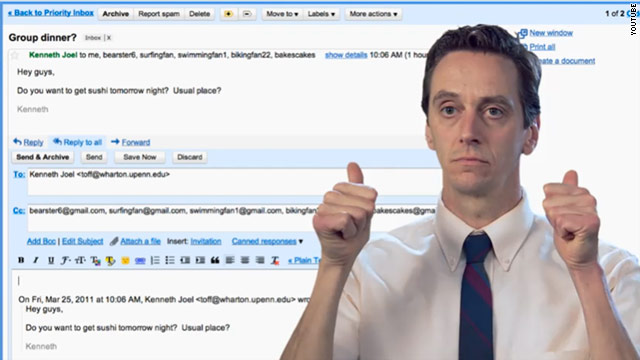
(CNN) -- Search giant Google on Friday debuted a "motion-controlled" e-mail system that lets users write digital messages by moving their bodies instead of typing on keyboards, which Google says are "outdated" and "inefficient."

"To open a message make a movement as if you were opening an envelope. To reply, simply point backward with your thumb," the company says in a video demonstration of the product, which seems to be a riff on Microsoft's Kinect gaming system. "To reply all, use both hands. To send a message, lick a stamp and place it down."

In case you haven't noticed, it's April 1, the day many corners of the internet start to look a lot like TheOnion.com.

Google, always the king of digital April Fools' jokes, played several pranks on the hopefully knowing public on Friday morning. Among them: motion-controlled e-mail, a YouTube roundup of viral videos from 1911 and a statement that says Google soon will change all of its fonts to the much-reviled Comic Sans.


Best April Fools' pranks RELATED TOPICS
Google Inc.
Groupon Inc.
HuffingtonPost.com Inc.
Internet
"Following some rigorous user testing of 41 different fonts, investigating how each affected user experience," Google writes, "we discovered one font consistently outperformed all others when it comes to user satisfaction, level of engagement, understanding Web content, productivity, click-through rates and conversion rates: Comic Sans."

People who search for "Comic Sans" on Google from certain browsers (Safari doesn't work, as far as we can tell) will see all their fonts changed to this bubbly typeface, which makes everything look like a ransom note written in crayon.

Google, of course, wasn't the only company to play some online tricks Friday. Here are a few of our other favorites:

HuffPo paywall: Mocking The New York Times' decision to start charging its frequent readers for access to its online articles, The Huffington Post on Friday announced a paywall of its own -- one that affects only employees of the Times.

"It's an important step that we hope you will see as an investment in The Huffington Post, one that will strengthen our ability to provide high-quality journalism to readers around the world -- and especially to our readers inside The New York Times," the company writes in a joke statement.

Royal wedding blog: Nearly a month before the scheduled nuptials, The Guardian on Friday unveiled a mock "live blog" to provide minute-by-minute updates on the wedding of Prince William and Kate Middleton. And they had a little fun with us, too.

"10.24 a.m.: More media news: our US correspondent Ed Pilkington reports that CNN will be sending 632 correspondents and commentators to cover the wedding, with the coverage on the day being helmed by Piers Morgan, sitting on a giant throne suspended from the upper level of Tower Bridge."

Angry Nerds: Software maker Atlassian served up a riff on the popular mobile game "Angry Birds" with this tablet-based "game," which lets players sling bespeckled geeks across the screen by launching them out of an office chair.

"What do you do when you have bugs in your code?" the site says. "Send in the Angry Nerds. Consider these issues ... resolved."

Job as Autocompleter: Another one from Google. The company mocks its own auto-complete feature, which guesses what users are searching for before they finish typing in a query. From the fake job posting:

"As a Google Autocompleter, you'll be expected to successfully guess a user's intention as he or she starts typing instantly. In a fraction of a second, you'll need to type in your prediction that will be added to the list of suggestions given by Google. Don't worry, after a few million predictions you'll grow the required reflexes."

Know Hemingway? You know that LinkedIn box that always recommends you connect with annoying former co-workers? On Friday, it's recommending dead famous people instead. Dear Ernest Hemingway, "I'd like to add you to my professional network."

Deals 4 Hipsters: If you're sick of those obnoxiously hip Groupon deals, check out the mock site Deals 4 Hipsters, which steals Groupon's format but offers discounts that are a little too trendy for their own good.

"Only $19 for a pair of lenseless frames ... $150 value, $800 if we had lenses in the frame." The deal is applicable only to residents of Inner West, Sydney.

Cobra documentary: Who doesn't love the Bronx Zoo cobra -- the venomous snake that went missing this week, tweeted up a storm and was captured Thursday? Animal Planet fake-announced it's making a special behind-the-scenes documentary about the snake's adventures while on the loose.

"Featuring never-before-seen footage, this renegade cobra's home movies and personal disclosures about why she slipped town will offer the real story behind the cobra's escape and solo adventures through New York City," the site says. "The documentary will also highlight the cobra's meteoric rise to fame and her interactions with the city's elite including Mayor (Michael) Bloomberg."

Apple 'Friend Bar': At The Onion, where April Fools' Day is just another Friday, there's a hilarious spoof on Apple's Genius Bar. They call it the Friend Bar, and it's a place where "specially trained" employees will listen to you talk about how much you love arcane Apple features for as long as you can rant:

"Unlike your girlfriend or your co-workers, we're not going to get tired of discussing the wireless networking capabilities of Snow Leopard Operating System. We're here and we're ready to listen," one of the fake workers says in a video segment about the new feature.

Playmobil Apple Store Playset: Feeling some iPad 2 line withdrawal? ThinkGeek offers a parody playset that lets you re-enact the fun of waiting in an Apple Store line with the help of plastic figurines.

The bloggers couldn't resist some of the features:

"A quick peek at the miniature Genius Bar and we were feeling a bit woozy. Then we saw the tiny Steve Jobs presenting in the Keynote Theater on the top floor and that was it. Our wallets popped out faster than you can say Jonathan Ive and we plunked down whatever money was needed to own this amazing playset."

Reff:http://edition.cnn.com/2011/TECH/web/04/01/april.fools.online/index.html

  • Digg
  • Del.icio.us
  • StumbleUpon
  • Reddit
  • RSS

5 ways Twitter changed how we communicate


(CNN) -- Happy birthday, @twitter.

The groundbreaking microblogging site, which has alternately been called a powerful tool for democracy and an emblem of all that's wrong with our short-attention-span digital age, turns 5 years old today.

On March 21, 2006, CEO Jack Dorsey wrote the post that started it all: "just setting up my twttr."

(For the record, Twitter, on its official blog, describes a message from Dorsey that appears to have been posted a few minutes later, "inviting coworkers," as the first official tweet.)

Since then, the site has picked up about 200 million users, making it one of the most-visited services on the Web.

In honor of its fifth birthday, here's a look at five ways Twitter has changed the digital communication game.

1. Made a fast flow of information faster

It's decade-old news that the internet helps information -- some of it good, some of it Snopes.com rumors -- spread fast.

With Twitter, it's fast on steroids.

In the Twitter echo chamber, all it takes is a few users with big follower counts to share something. With one click, those followers share it with their own followers. And the wildfire is set ablaze.

As a result, news spreads faster than ever. Twitter's real-time news flow has been cited as a tool in citizen uprisings in Iran and Egypt and as invaluable for fundraising efforts for crisis situations like last year's floods in Haiti.

But it also means internet hokum can go viral before anyone can put the brakes on it.

No shortage of celebrities have "died" on Twitter, so far. And the casualties will most likely continue to mount.

2. Removed the celebrity filter

For as long as the concept of "celebrity" has existed, there have been people paid to keep those celebrities from looking like jackasses in public.

Thankfully for us, Twitter ended all that.

OK, not completely. But musicians, actors, athletes and other stars who have taken to Twitter tend to share a lot more about themselves than most publicists would endorse. (We're looking at you, Charlie Sheen.)

And not just scandalous stuff (although we enjoyed Kanye West's bizarre round of self-flagellation just like everybody else).

Writers share tips and give fans a glimpse at their process. Lots of stars chat with their followers, giving fans unprecedented access. Photos, or even just updates on their everyday lives, let fans see stars in a way they never could before.

The downside? You're liable to realize that at least one of your favorite people has terrible grammar and can't spell.

3. Created "thought leaders"

Twitter's list of 100 most popular accounts is dominated almost entirely by celebrities and traditional media outlets. (We're fond of No. 19.)

But nestled not terribly far below are hundreds of bloggers, podcasters and online journalists who have found a bigger audience on Twitter than they probably would have without it.

When a single tweet puts your thoughts in front of hundreds of thousands of people, you're able to help set the agenda in your community.

4. Strengthened the "second screen"

With Twitter, nobody has to watch a TV show by themselves again.

There are mobile apps that are tailored for TV, movies and other entertainment. But for real-time chatter, it's hard to match Twitter.

The advent of DVRs and streaming services like Hulu and Netflix was threatening to kill the idea that people needed to watch a show as it aired. But with Twitter (particularly thanks to hashtags), watching a show during air time lets you have a real-time conversation with thousands of fellow fans.

"TV shows become events, meaning people watch them as they happen," Twitter CEO Dick Costolo said last month. "We're so used to creating experiences for our users, but now our users are creating experiences for each other."

A telling detail? Twitter traffic increases by a factor of 30 whenever "Glee" is on. And during this year's Super Bowl, there were 4,000 tweets sent per second.

5. (Over)simplified the conversation

Some thoughts just can't be summed up in 140 characters.

For all its ability to provide quick blasts of information, critics have argued that Twitter dumbs down Web conversations that deserve to be fuller and more fleshed out.

Some self-aware bloggers have admitted that since the site emerged, they're more likely to shoot out a couple of tweets on a topic than write a full post.

And more than a few high-profile tweeters have had to come back and explain themselves after a post on the site was misinterpreted -- or just to correct their sloppy grammar and spelling. Sometimes, they make up words).

One flip side of Twitter's increased celebrity access is that it allows politicians and others in the spotlight to fire off tweets without opening themselves up to follow-up questions or having to fully explain their messages.

Remember all the members of Congress who tweeted during President Obama's 2009 economic speech instead of even pretending to pay attention?

When the leaders of a nation are debating important issues the same way we share a link to the latest comic from The Oatmeal, we might have a problem.

Reff:http://edition.cnn.com/2011/TECH/social.media/03/21/twitter.birthday.communication/index.html

  • Digg
  • Del.icio.us
  • StumbleUpon
  • Reddit
  • RSS

Nintendo talks future 3DS upgrade possibilities


(WIRED) -- The Kyoto gamemaker is gearing up to launch Nintendo 3DS, a portable game machine with a glasses-free 3-D display, in the United States on March 27.

Although 3DS sports a variety of built-in features like a 3-D camera and augmented-reality minigames, out of the box it lacks some features we would call basic -- a downloadable games store, for example, and the functionality to send messages to your online friends.

But what 3DS does have is the ability to automatically receive system updates. Nintendo says it will push out firmware updates that will add content and new features to the OS without players having to do anything -- they just need to have their 3DS in sleep mode.

Owners of game machines like Xbox 360 or Sony's PSP understand why this is a big deal. Microsoft has made massive overhauls to the Xbox 360's user interface since it shipped the console in 2005, adding major features like Netflix movie streaming, Avatar characters and support for Kinect.

After five years of updates, today's Xbox 360 is practically a whole new machine. The same could happen with 3DS.

Nintendo says some features, like the 3DS eShop and a web browser, will arrive in a system update in late May. To find out what could be next, Wired.com spoke to Nintendo 3DS' producer Hideki Konno at Game Developers Conference in San Francisco earlier this month.

As the producer of games like Nintendogs and Mario Kart, Konno's background is in software development. Nintendo clearly seems to perceive that continually tweaking and adding to the onboard software for 3DS is of paramount importance to the handheld's continuing success. Here are some things 3DS probably will do in the future (and some features you shouldn't expect.)

Text chat

By exchanging 12-digit numerical codes with fellow early adopters, 3DS users can build a Friends List. Right now, there's not much you can do with it -- you can see which of your friends are online and what game they're playing, but there's no way to interact. No game invites, no voice chat, not even text messaging.

When I floated the idea of text chat to Konno, he seemed to agree. "We are going to be making updates to the system, and I think that's something that would be really interesting to do," he said through a translator.

Game demos

Nintendo has traditionally been reluctant to release demo versions of games. It experimented briefly with them on its WiiWare service, releasing a handful of demos for a limited time.

By contrast, playable demos are always available for every Xbox 360 downloadable game and many major retail ones.

"I question whether or not demos are effective," said Konno, adding that demos on 3DS would be "technically feasible" but that he isn't sure they motivate players to buy.

"There are cases where people play a demo game and they're satisfied with that play experience and they don't buy the game," he said. "There are also times when they play a demo and think, 'Wow, this is great, I'm going to buy this when I have the chance.' So whether or not it's an effective use of resources, I'm not sure."

WIRED: 3DS idea man pulls back curtain on handheld's capabilities

Konno said demo versions or even entire games could be automatically pushed to 3DS with the SpotPass feature. "You could wake up in the morning and say, 'Oh look, I've got a new game demo,' or a new game," he said.

Games that require 3-D

At last year's E3 Expo, Nintendo showed off a massive array of software demos for 3DS. While most of them will be available soon, one of the most interesting ones seems to have been shelved entirely. The demo showed a Mario-style jumping game with transparent platforms.

In the system's 2-D mode, it was virtually impossible to tell where the overlapping platforms were in relationship to each other. With 3-D on, the depth effect lets you see where to jump.

"We want to get software out to as many people as possible, and there are some people who just can't see 3-D," said Konno when asked about this demo. "We're moving away from any stance that says if you don't use the 3-D functionality you can't play this game."

Limited time offer

Game industry executives like Gabe Newell of Valve Software have presented compelling evidence that allowing game developers to temporarily reduce the price of downloadable games can have a dramatic and lasting effect on sales.

Konno says such price flexibility, a la Steam or the App Store, isn't quite what Nintendo is after.

"If what you're coming up with [is something like] the Apple iTunes store, where people can freely set their prices, I don't think that's going to be the case," Konno said. "I'd be a little sad to see if there was a product that I worked on for a couple of years go on sale for a buck."

Echoing comments made by his boss, Nintendo President Satoru Iwata, during a Game Developers Conference keynote address, Konno said the low prices on Apple's store aren't what Nintendo is aiming for on the 3DS eShop.

"Having a business model that allows for the prices to be driven down that low, as a developer it's kind of scary because we want to protect our content, and the only way we can justify creating good content is if it makes business sense," he said. "It's more than a pricing issue, it's a company value. We want to compete with ideas, we want to surprise our consumer base.

"That's the battleground for us -- are we surprising consumers?"

Reff:http://edition.cnn.com/2011/TECH/gaming.gadgets/03/22/nintendo.3ds.upgrade.wired/index.html

  • Digg
  • Del.icio.us
  • StumbleUpon
  • Reddit
  • RSS

What to make of the Apple-Amazon 'app store' feud


(CNN) -- The giants of the tech world have worked themselves into a tizzy over the term "app store."

Everyone wants to use it. Apple wants to own it.

On Tuesday, tensions escalated when Amazon launched an online "Appstore" for Android applications. Note how the online retail company carefully deleted the space between the words "app" and "store," a sort-of-sly way to differentiate its online marketplace from the Apple App Store, which launched in July 2008. Apple filed a complaint on Friday against Amazon over the matter.

Back at the time of the App Store's launch, Apple also requested a trademark of "app store," but that filing is currently being appealed by Microsoft, which, in lieu of being able to use that snappy and sought-after term, has been left with this clunkier moniker: "Windows Marketplace for Mobile."

Other app-store alternatives don't roll off the tongue any easier. Google has the "Android Market" and, for its browser-turned-operating-system, the "Chrome Web Store." BlackBerry has "App World." And Nokia has the "Ovi Store." Use "Ovi" three times in a sentence this week. Report back on how that goes.

Who wins the "app store" war may be determined by trademark attorneys. But some of the big questions they'll consider are fairly obvious: Is "app store" so common that it no longer refers only to Apple's App Store but also to online stores for applications more generally? How common is the term "app"?

Where did it come from? And will consumers confuse the Amazon Appstore for Android with Apple's App Store, as Apple claims is the case?

It's impossible to know what exactly will happen, but CNN turned to a few linguistic experts for some insight on this feud and on the origins of the word "app."

Here's what we learned:

1. "App" is a really old term

Like 1980s-old. Ben Zimmer, chairman of the new words committee for the American Dialect Society, which chose "app" of its word of the year in 2010, says he found a reference to computer apps that dates to 1985.

" 'Killer apps' back in the old days could refer to a spreadsheet program -- that would be the app that would really drive people to buy some software," he said.

2. The way people use "app" today is pretty new

These days, apps aren't any computer programs; they're lightweight applications that you download from the internet.

"If you ask people what an app is now, they probably would say, 'Oh, it's something you download for your smartphone,' " Zimmer said. Apps also are increasingly coming to other computerized devices, such as tablets and TVs.

"It could be a game, or it could be some clever little piece of programming someone wrote. It's not thought of as a big, cumbersome thing, like people might think of the applications that they run on their PC."

3. Apple did popularize "app" and "app store"

Apple launched its App Store in 2008 and followed up with a prominent marketing campaign claiming "there's an app for that." Both of those events, the linguists said, led to the popular use of the term today.

"They did not create the word 'app.' They did create the phrase 'app store,' as far as I know. And app store, the combination (of words), is what they're trying to protect in the court," said Bill Kretzschmar, a professor of English at the University of Georgia. "They can't own 'app,' because that's a term" that's used commonly, he added.

4. Tech companies are particularly trademark-happy

Perhaps because the tech industry moves so quickly, tech companies have a penchant for trying to own new words and phrases, linguists said.

"There are new technological developments all the time, and we have to call them something," Kretzschmar said. "A word like 'app' is not a new technological development so much as a new way of talking about something that already existed, an application. This change in language is always bubbling all around us."

5. Success leads to trademark fights

Bottom line: So many people use the terms "app" and "app store" because they're catchy and popular.

"Maybe the dispute is an indication of the success," Zimmer said. "There wouldn't be a dispute unless 'app' was a very sexy term in the marketplace."

"My personal impression is: I don't want to be sued by Apple," joked Wayne Glowka, dean of the School of Arts and Humanities at Reinhardt University in Georgia. "My daughter has an Android, and everything she has, she calls apps."

Asked what she calls the website where she buys those apps, Glowka said he couldn't think of anything, other than this very disputed phrase: "An app store."

Reff:http://edition.cnn.com/2011/TECH/innovation/03/22/app.store.fight/index.html

  • Digg
  • Del.icio.us
  • StumbleUpon
  • Reddit
  • RSS